
插件设置页清理缓存
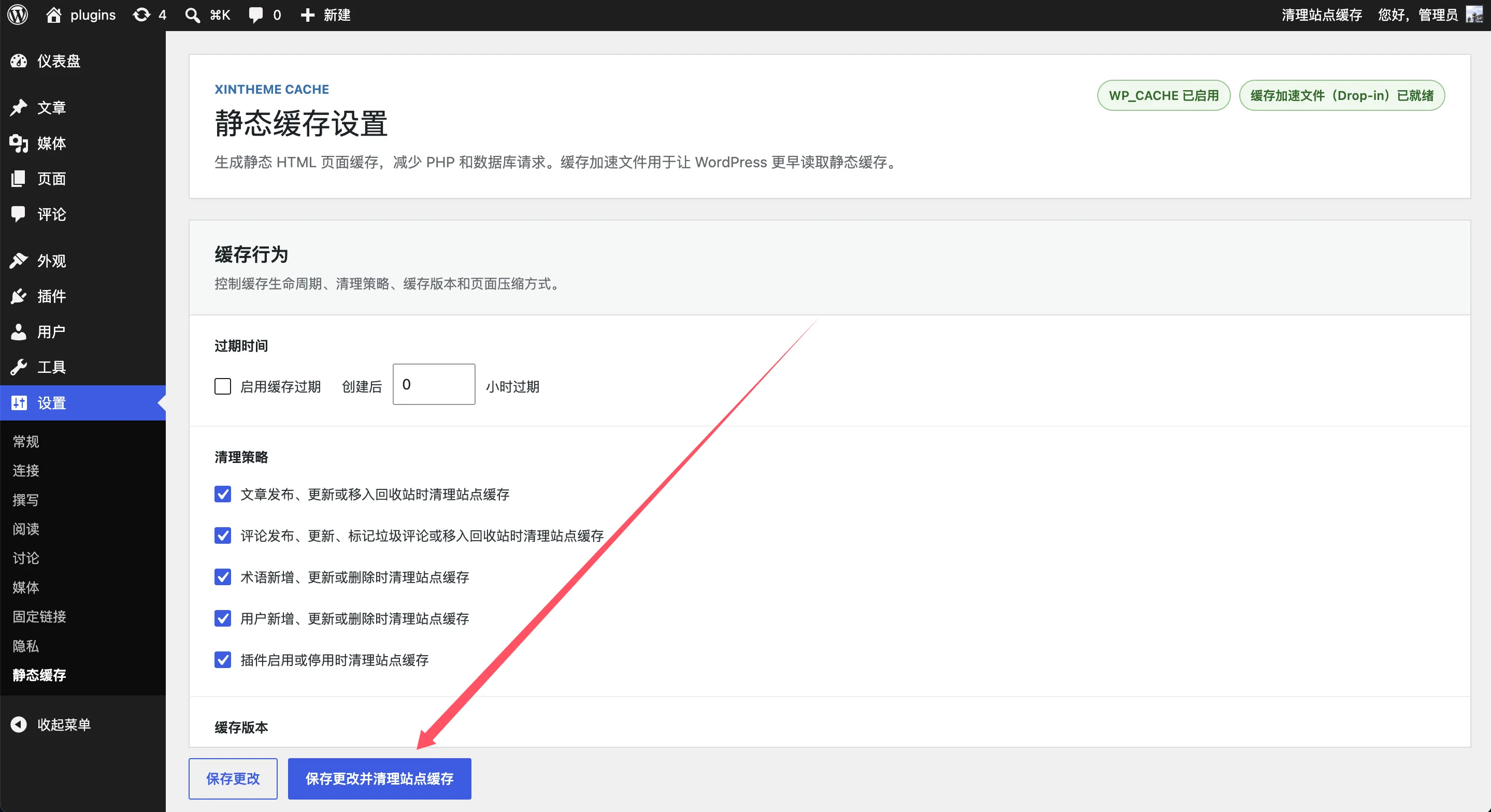
进入 XinTheme Cache 设置页,可以保存设置,也可以保存并清理站点缓存。
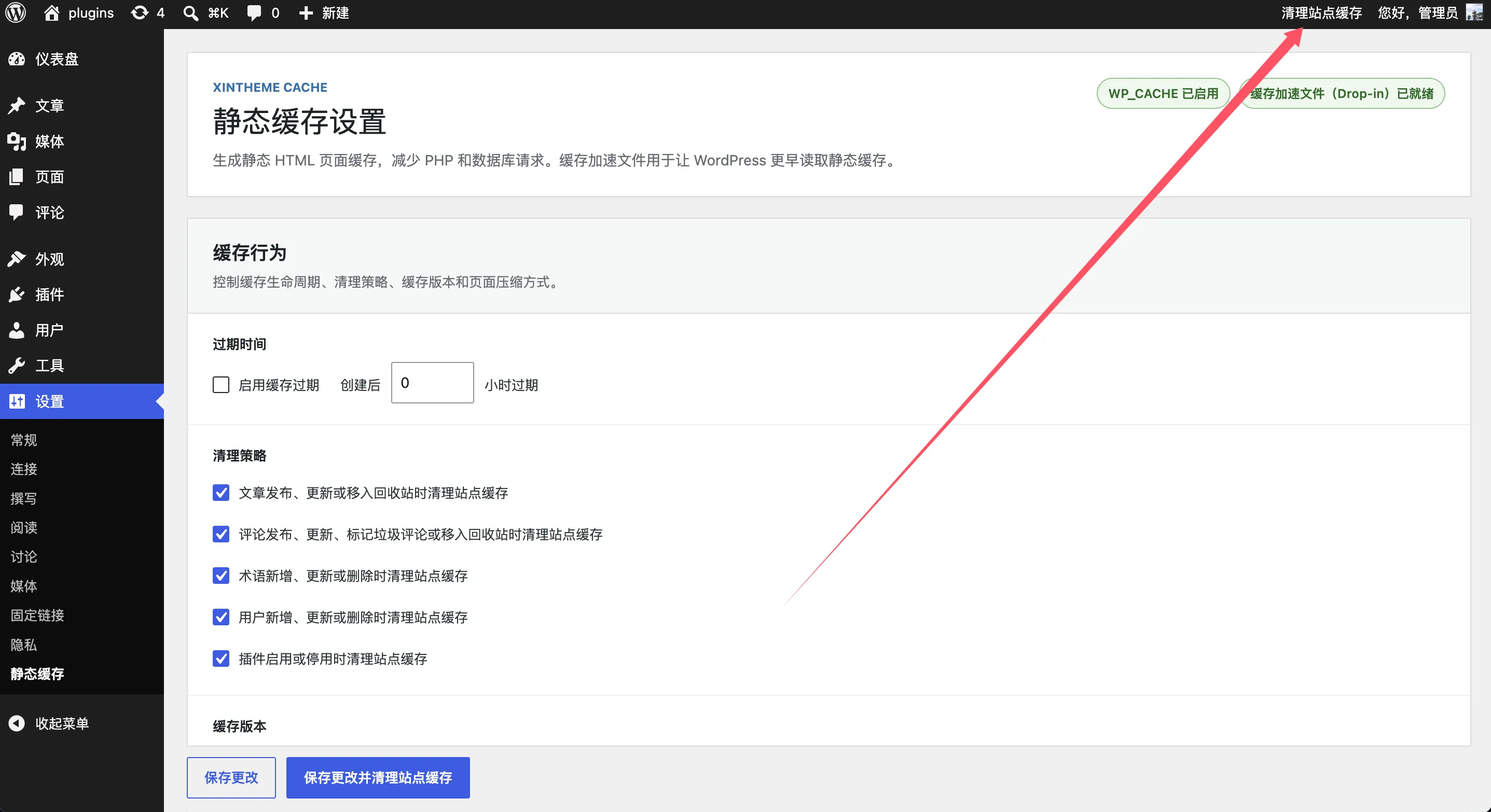
管理工具栏清理缓存
登录 WordPress 后,在前台管理工具栏可以看到 XinTheme Cache 清理入口。你可以清理当前页面缓存,也可以清理整个站点缓存。
自动清理缓存
文章发布、评论更新、分类变更、用户变更、插件启停、WooCommerce 商品库存变化等事件发生时,插件会自动清理相关缓存。
WP-CLI 清理缓存
如果服务器支持 WP-CLI,可以用命令行快速清理缓存。请在 WordPress 根目录运行命令,或者使用 --path 指定 WordPress 根目录。
清理全部缓存
wp xintheme-cache clear清理指定文章缓存
wp xintheme-cache clear --ids=1
wp xintheme-cache clear --ids=1,2,3
清理指定 URL 缓存
wp xintheme-cache clear --urls=www.example.com/about-us/
wp xintheme-cache clear --urls=https://www.example.com/about-us/
清理通配路径缓存
wp xintheme-cache clear --urls=www.example.com/blog/*
wp xintheme-cache clear --urls=www.example.com/blog/how-to-*
多站点清理指定站点缓存
wp xintheme-cache clear --sites=1
wp xintheme-cache clear --sites=1,2,3
使用 --path
wp --path="/path/to/wordpress" xintheme-cache clear